Saving a Symbol
Once a symbol has been created or edited on the canvas, it can be saved to the Design Library so that it is available for reuse in other designs or projects.
To save a symbol to the library:
- Select the symbol on the canvas that you want to save.
- In the Symbol Library group on the top toolbar.
- Click Export.
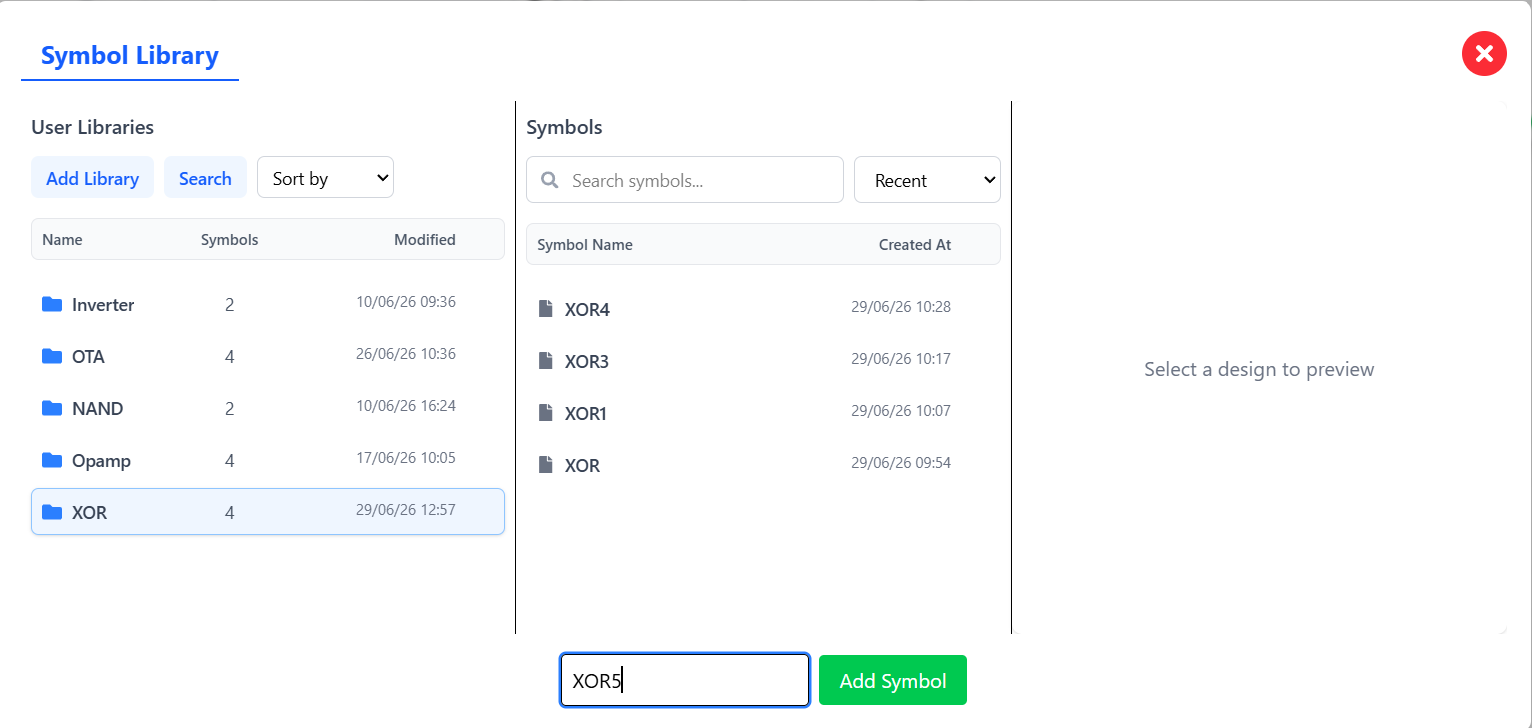
- In the Symbol Library dialog, choose the destination library or add your own library
- Enter a name for the symbol to make it easier to search for later.
- Click Add Symbol to confirm.
Once saved, the symbol appears in the selected library and can be previewed or imported into any future design.

tip
Give symbols clear, consistent names (e.g. including the device type or technology node) so they are easy to find when searching the library later.